PDF AI Suite for Mac

Desktop-grade
PDF productivity.

Every PDF workflow, optimized for the Mac. Keyboard shortcuts, drag & drop from Finder, multi-window, Services menu, and native Apple Silicon performance.
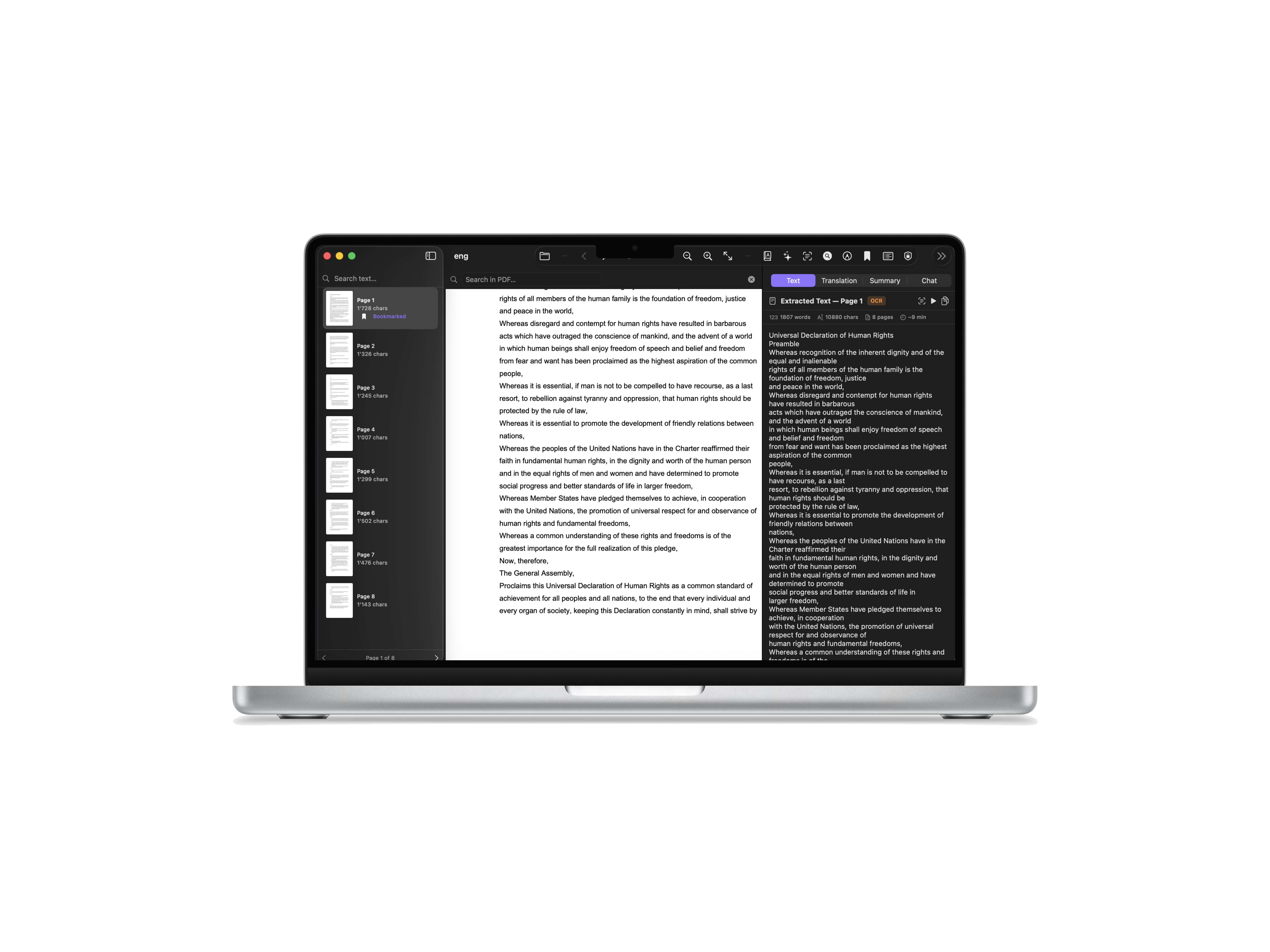
PDF AI Suite on Mac

Shown on MacBook Pro 14" (M4). macOS Sequoia or later.
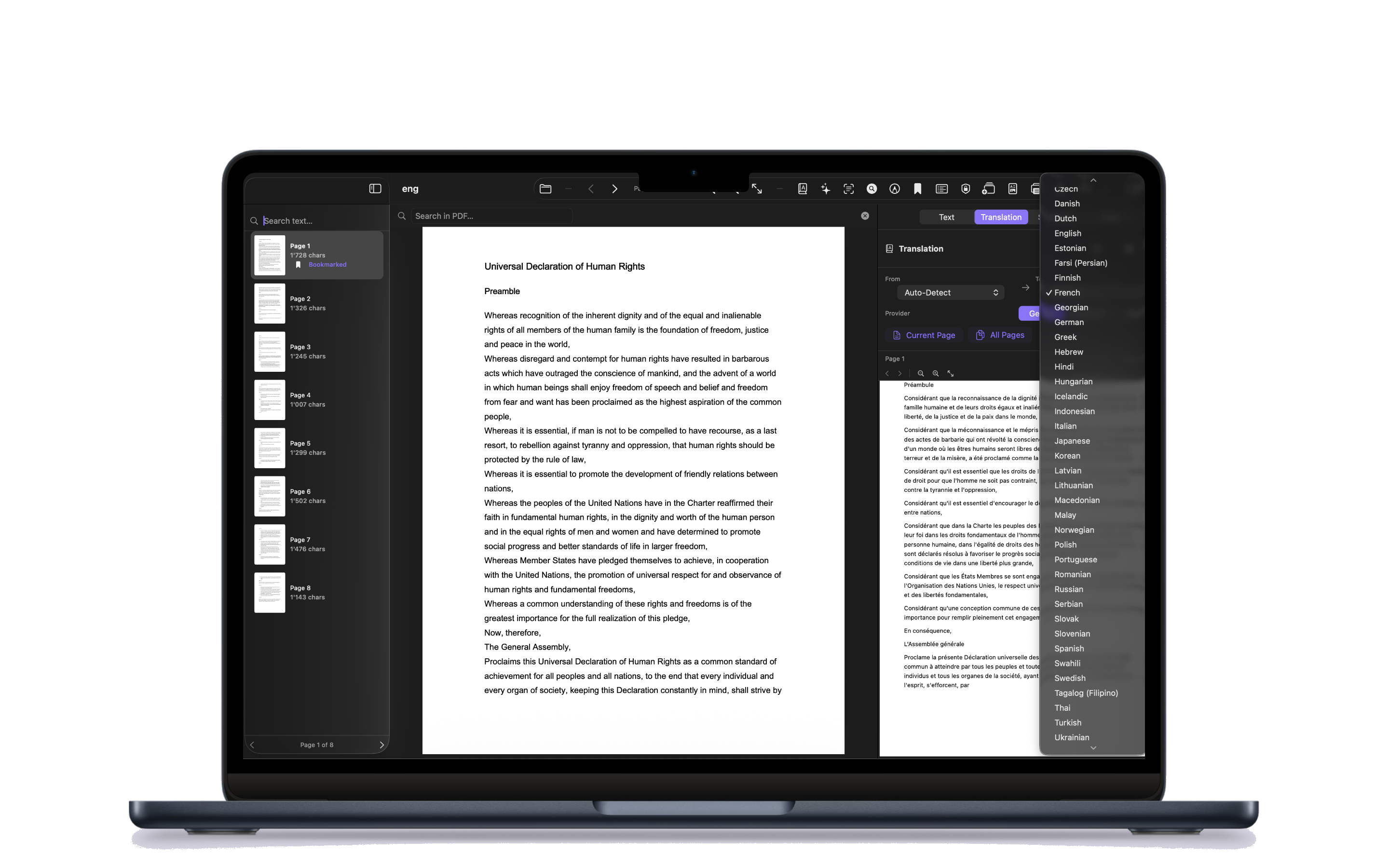
Translate PDF on Mac

Shown on MacBook Air 13" (M4). macOS Sequoia or later.

Translate any PDF.
In 54 languages.

Open a contract in German, a research paper in Japanese, or a manual in Portuguese — and get a clear translation right on your Mac. Pick your AI provider and translate a single page or the entire document.

  • 54 languages with auto-detect source
  • Translate current page or full document
  • Pick your provider: Gemini · ChatGPT · Groq
  • Export as PDF, TXT or copy to clipboard
Translation panel with side-by-side text on Mac

Shown on MacBook Pro 14" (M4). macOS Sequoia or later.

Side by side.
Source & target.

Read the original on one side and the translation on the other — without losing your place. The translation panel keeps the layout, page numbers, and structure of the source document, so cross-referencing a clause, paragraph, or footnote stays effortless.

  • Source on the left, translation on the right
  • Auto-detect source language
  • Diacritics & special characters preserved
  • Copy, export PDF, or export TXT
Translation Review with critical details on Mac

New in 1.2 — Shown on MacBook Pro 14" (M4). macOS Sequoia or later.

New in 1.2

Translation Review.
Verified, not just translated.

A dedicated review pane auto-extracts contract numbers, dates, amounts, emails, phone numbers, VAT IDs, and registration numbers from both source and translation — so you can spot any discrepancy at a glance, with a word-count delta included.

  • Auto-extracted critical details for verification
  • Word-count delta between source & target
  • Side-by-side review with original
  • Plain-text output ready for office files
PDF Reader on Mac

Shown on MacBook Air 13" (M4). macOS Sequoia or later.

A powerful
PDF reader.

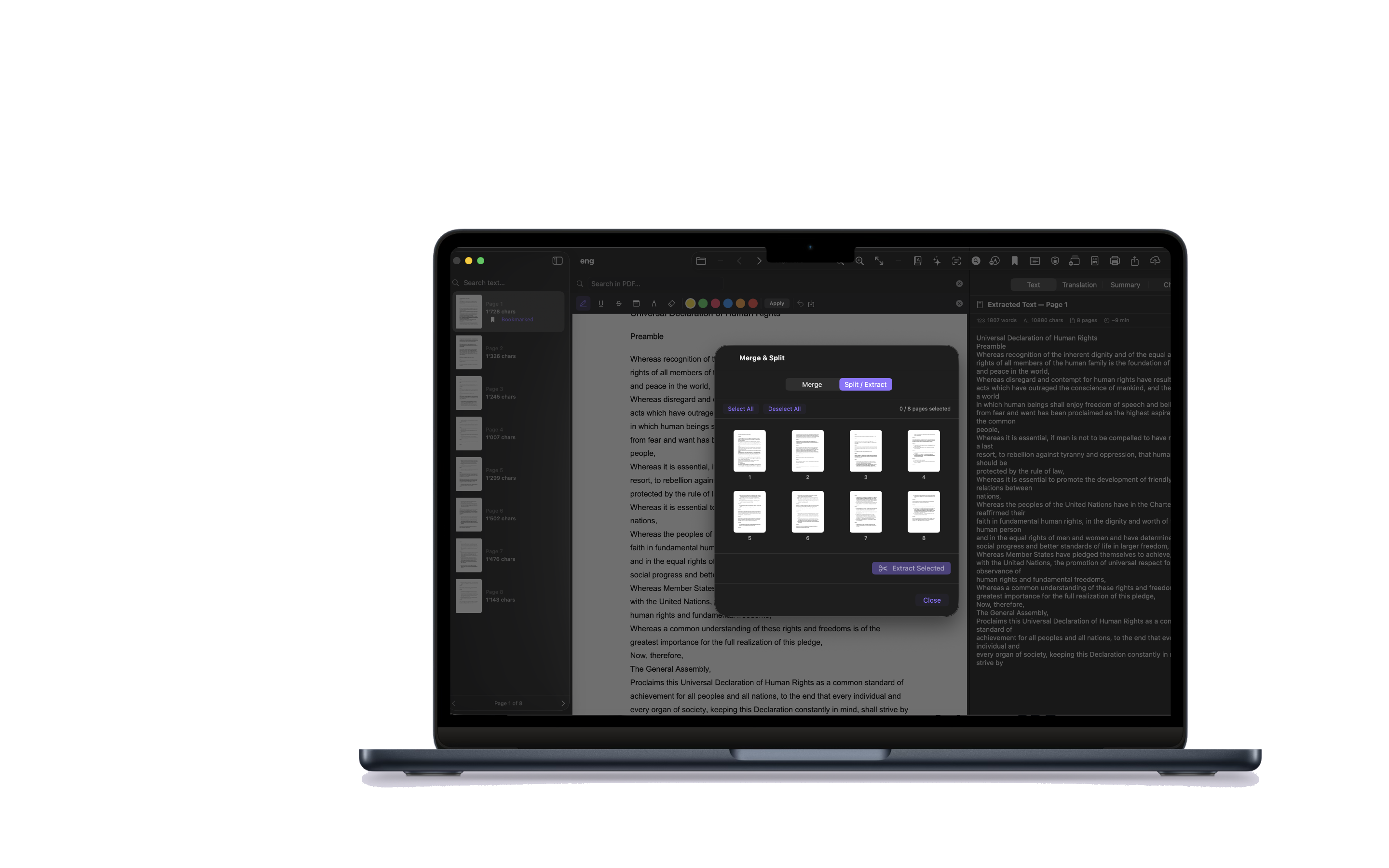
Read, annotate, bookmark, and navigate your documents with a clean, native Mac interface. Manage your entire PDF library from one app — with drag & drop from Finder, tabs, and keyboard shortcuts.

  • Annotations, highlights & bookmarks
  • Drag & drop from Finder
  • Tabs & multi-window support
  • Merge, split & organize pages
Chat with PDF on Mac

Shown on MacBook Air 13" (M4). macOS Sequoia or later.

Ask your PDF
anything.

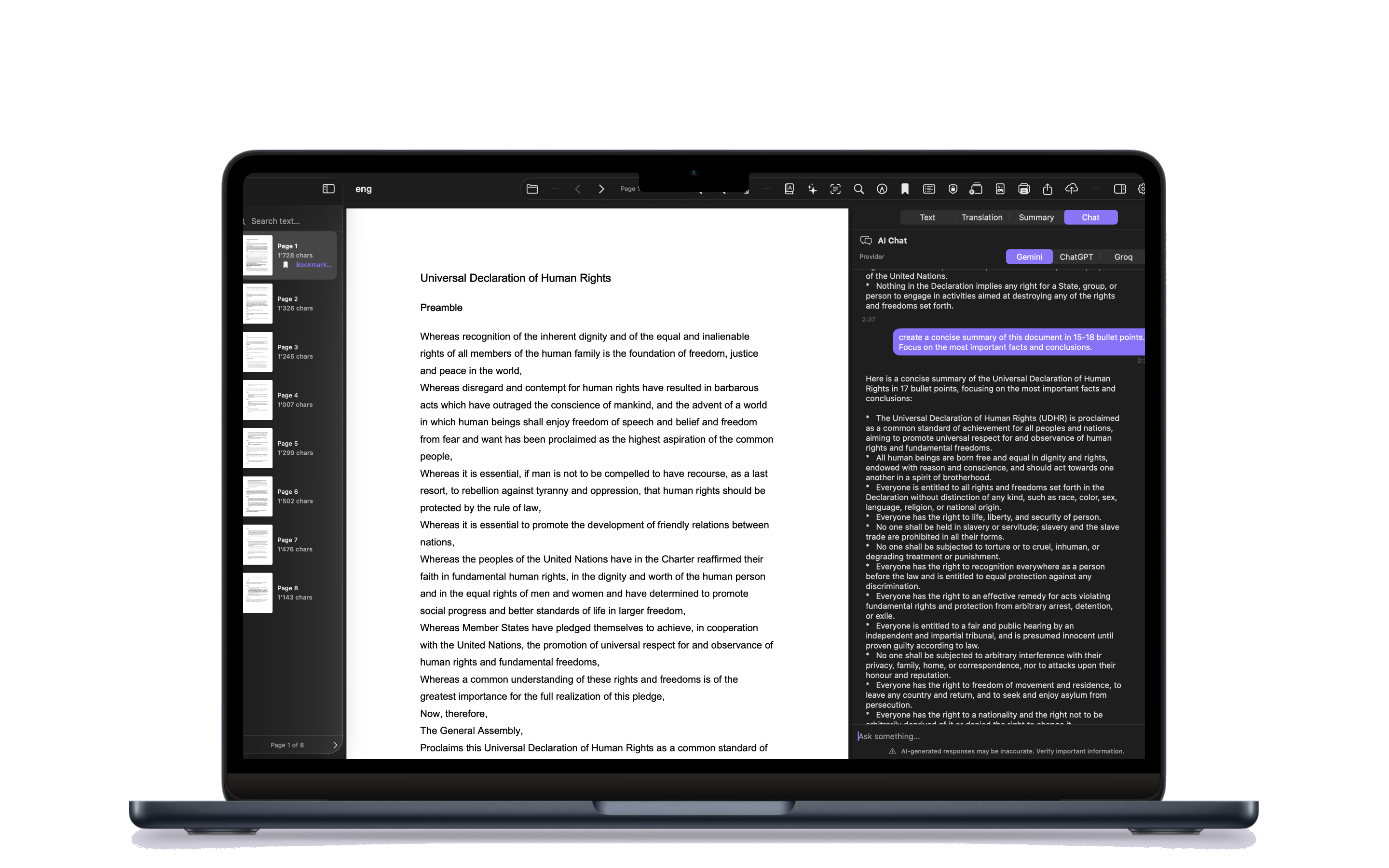
Skip the skim. Ask a question, get a clear answer with context from the document. Use Quick Prompts — Extract Key Points, List Names & Dates, Simplify Language — or type your own.

  • Multi-turn chat with full document context
  • 5 built-in Quick Prompts
  • Pick your provider: Gemini · ChatGPT · Groq
  • Export conversation as PDF or TXT
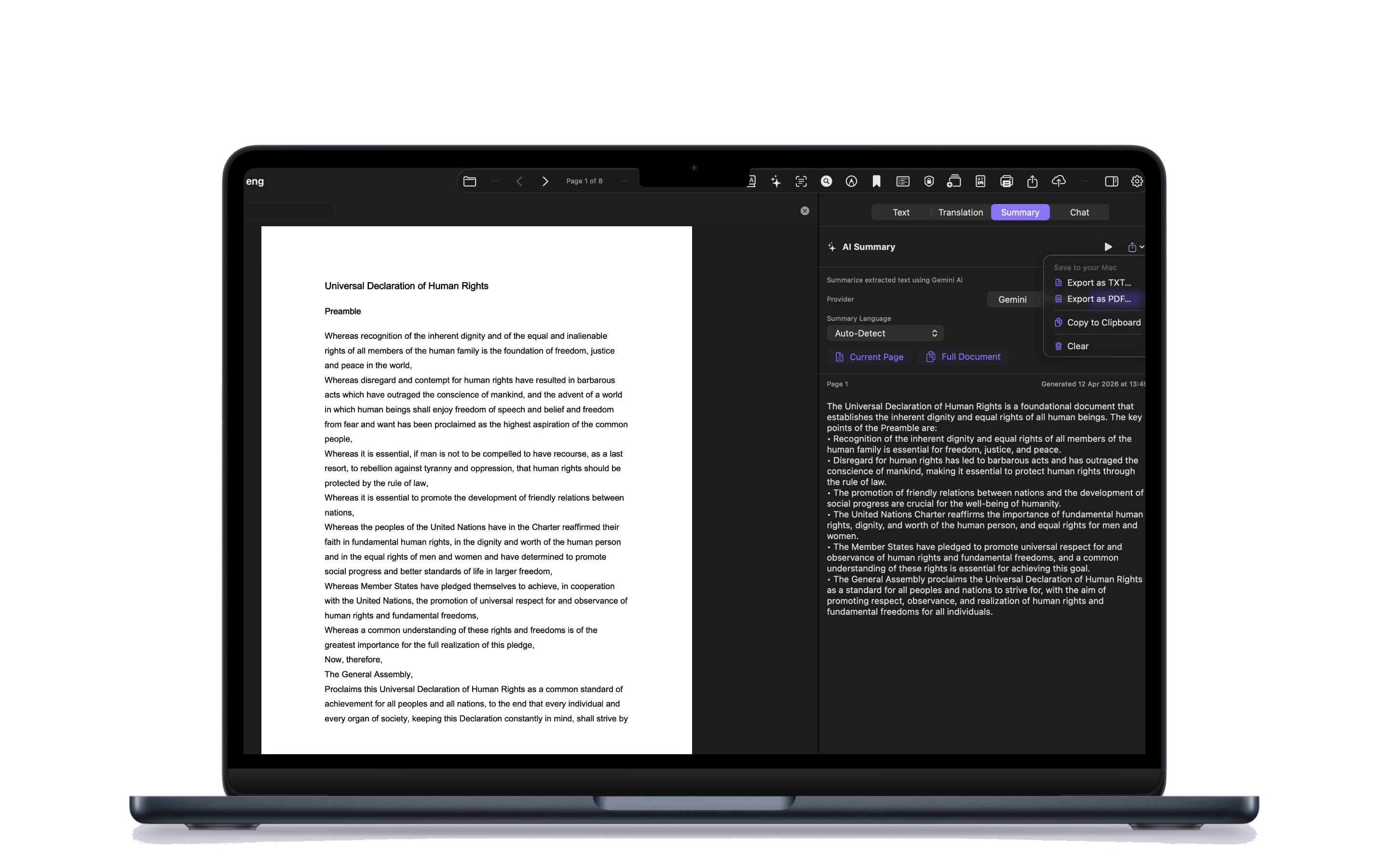
Summarize PDF on Mac

Shown on MacBook Air 13" (M4). macOS Sequoia or later.

Long documents.
Short summaries.

Let AI do the heavy reading. Get a clear summary of the current page or the entire document — in your preferred language — without ever leaving the reader.

  • Summarize current page or full document
  • Output in any of 54 languages
  • Pick your provider: Gemini · ChatGPT · Groq
  • Export summary as PDF or TXT
Structured office summary report on Mac

New in 1.2 — Shown on MacBook Pro 14" (M4). macOS Sequoia or later.
New in 1.2

Summaries built
for the office.

Every summary is now a structured office report — with Document Synthesis, Relevant Elements, a Verification Checklist, and Office Observations. No Markdown, no asterisks, just plain administrative text ready for a notary, copy, or translation office file.

  • Executive Brief & Key Points
  • Verification Checklist for office workflows
  • Office Observations for missing info or deadlines
  • Export as PDF or TXT
Office workflow on Mac

New in 1.2 — Shown on MacBook Pro 14" (M4). macOS Sequoia or later.
New in 1.2

A complete
office workflow.

Attach client metadata, run a pre-flight document check, and bundle results into client-ready delivery packages. Designed for notary, copy, and translation offices — with structured reports, page citations, and plain-text output ready for any official file.

  • Office Case sheet with client & deadline metadata
  • Document Preparation: detects pages needing OCR
  • 4 delivery presets: Client, Archive, Translation, Summary
  • Translation Review extracts numbers, dates, VAT IDs
AI Memory and Document History on Mac

New in 1.2 — Shown on MacBook Pro 14" (M4). macOS Sequoia or later.
New in 1.2

The AI
that remembers.

Save key takeaways from any chat as persistent AI Memory — the next time you open the PDF, the AI picks up exactly where you left off. Every chat, summary, and translation is saved per document and reopenable with a single click.

  • AI Memory: notes the AI auto-recalls per PDF
  • Per-document history: chats, summaries, translations
  • SHA-256 fingerprint — survives renames & moves
  • Auto-restore last summary & translation on open
Settings and API keys on Mac

Shown on MacBook Pro 14" (M4). macOS Sequoia or later.

Your keys.
Your data.

PDF AI Suite is Bring Your Own Key. Paste your Gemini, ChatGPT, or Groq API key once — stored securely in the Apple Keychain — and pay providers directly at cost. No subscriptions, no markups, no middleman.

  • Keys stored in Apple Keychain, never on a server
  • Test & Save buttons to verify each key
  • Use one provider or all three side-by-side
  • Light, Dark & System appearance
Got questions? Ask our AI Assistant!
AI Chat

PDF AI Suite Assistant

Hi! I'm the PDF AI Suite assistant. How can I help you today?