PDF AI Suite for iPhone

Your PDF assistant,
in your pocket.

Translate, summarize, scan and chat with any PDF — wherever you are. Purpose-built for iPhone with touch, camera, and on-the-go workflows in mind.

54 languages

Translate any PDF into 54 languages with automatic source detection.

Auto-Detect

The source language is detected automatically — just pick a target and go.

Page or Full Document

Translate the current page or the entire document in one tap.
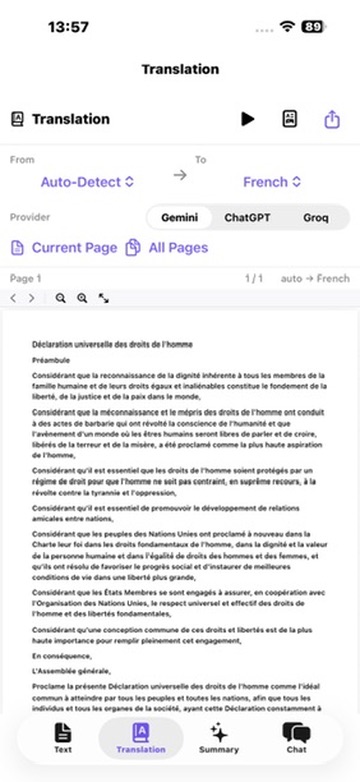
PDF AI Suite translating a document on iPhone

3 AI Providers

Choose between Gemini, ChatGPT, or Groq for every task.

Audio Playback

Listen to your document read aloud — perfect for on-the-go review.

Export as PDF or TXT

Save translations as a PDF file or plain text for easy sharing.

Shown on iPhone 16 Pro. iOS 18 or later.
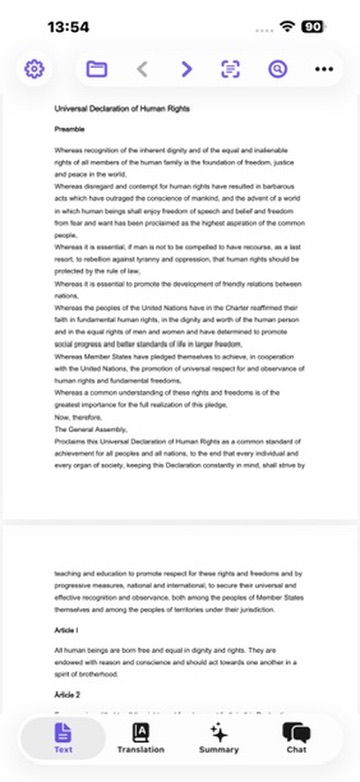
Reading a PDF on iPhone

Read any PDF.
Beautifully.

A clean, distraction-free reader built for iPhone. Open contracts, research papers, manuals or books and switch instantly between Text, Translation, Summary and Chat with the bottom tab bar.

  • Smooth, native text rendering
  • Bottom tab bar: Text · Translation · Summary · Chat
  • Open files, folders, links and recent documents
  • Light, Dark and System themes with violet accent
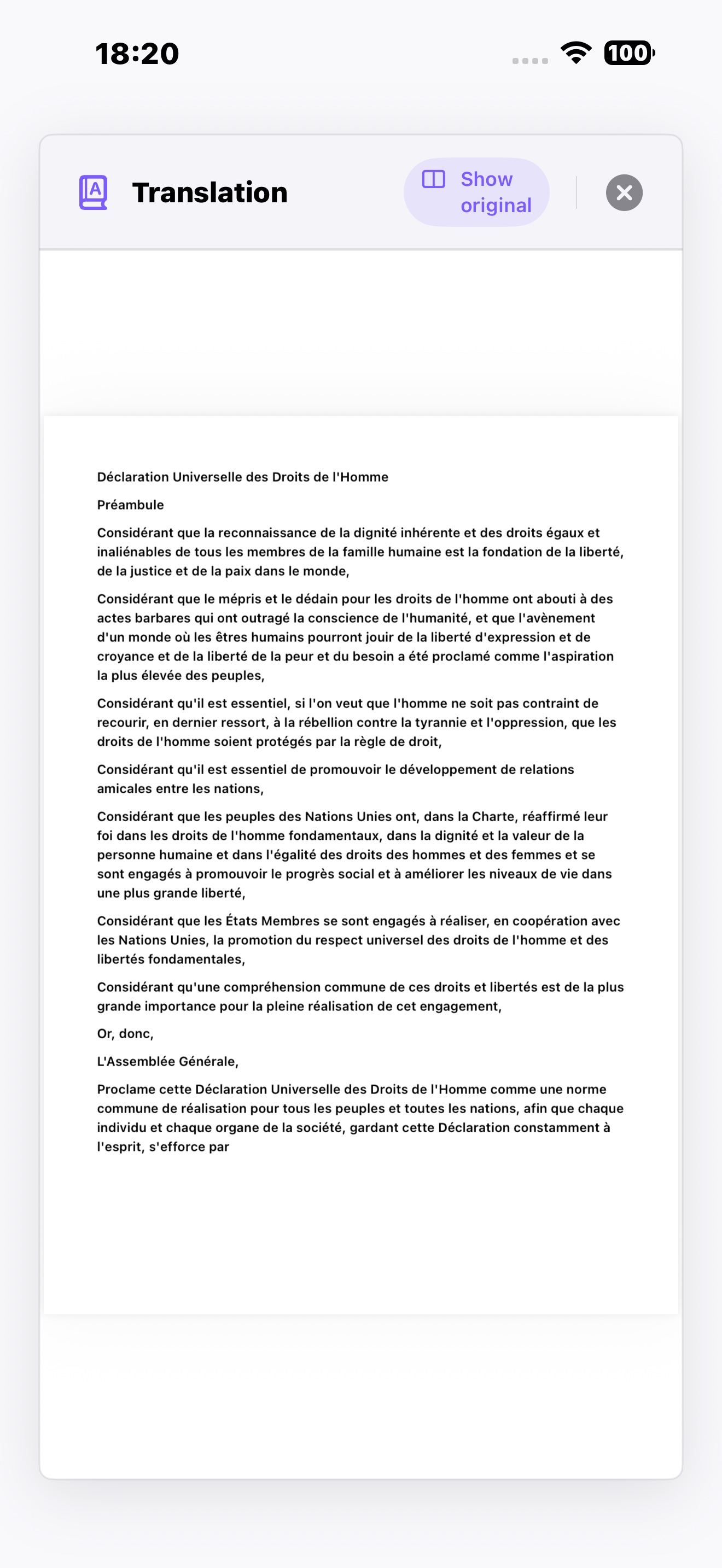
Full-screen translation result on iPhone

The translation,
full screen.

Once the translation is ready, tap to expand it full screen and read comfortably from edge to edge. Toggle Show original to flip back to the source whenever you need to verify a paragraph or compare a sentence.

  • Distraction-free, full-screen reader
  • One-tap toggle between original & translation
  • Adjustable font size for comfortable reading
  • Diacritics & special characters preserved
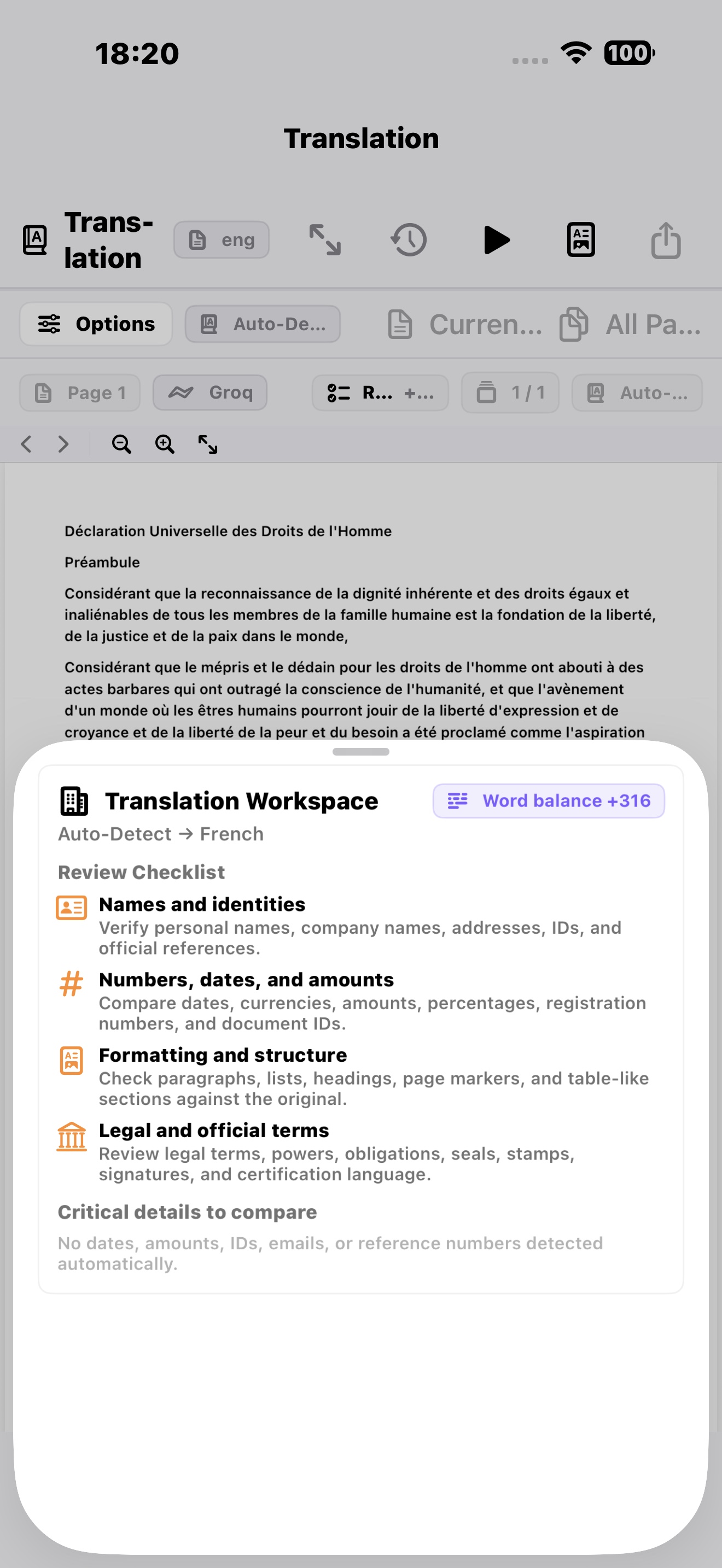
Translation Review checklist on iPhone
New in 1.2

Translation Review.
Verified, not just translated.

A dedicated review pane auto-extracts contract numbers, dates, amounts, emails, phone numbers, VAT IDs, and registration numbers from both source and translation — with a clear word-balance delta — so you can spot any discrepancy at a glance.

  • Names & identities checklist
  • Numbers, dates & amounts comparison
  • Formatting & structure check
  • Legal & official terms review
AI summarize on iPhone

Long documents.
Short summaries.

Let AI do the heavy reading. Get a clear summary of the current page or the entire document — in your preferred language — without ever leaving the reader.

  • Summarize current page or full document
  • Output in any of 54 languages
  • Bullet points, key takeaways, or detailed mode
  • Export the summary as PDF or TXT
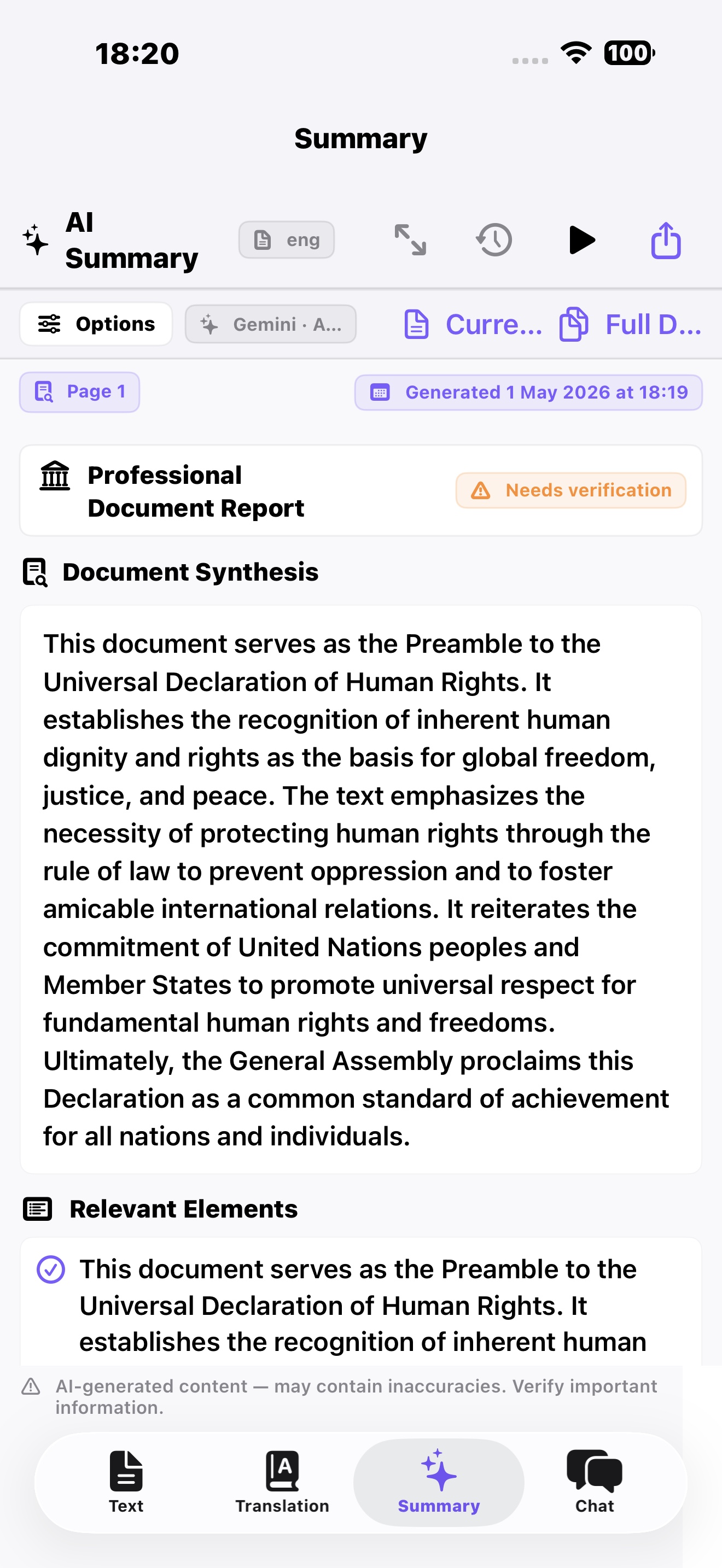
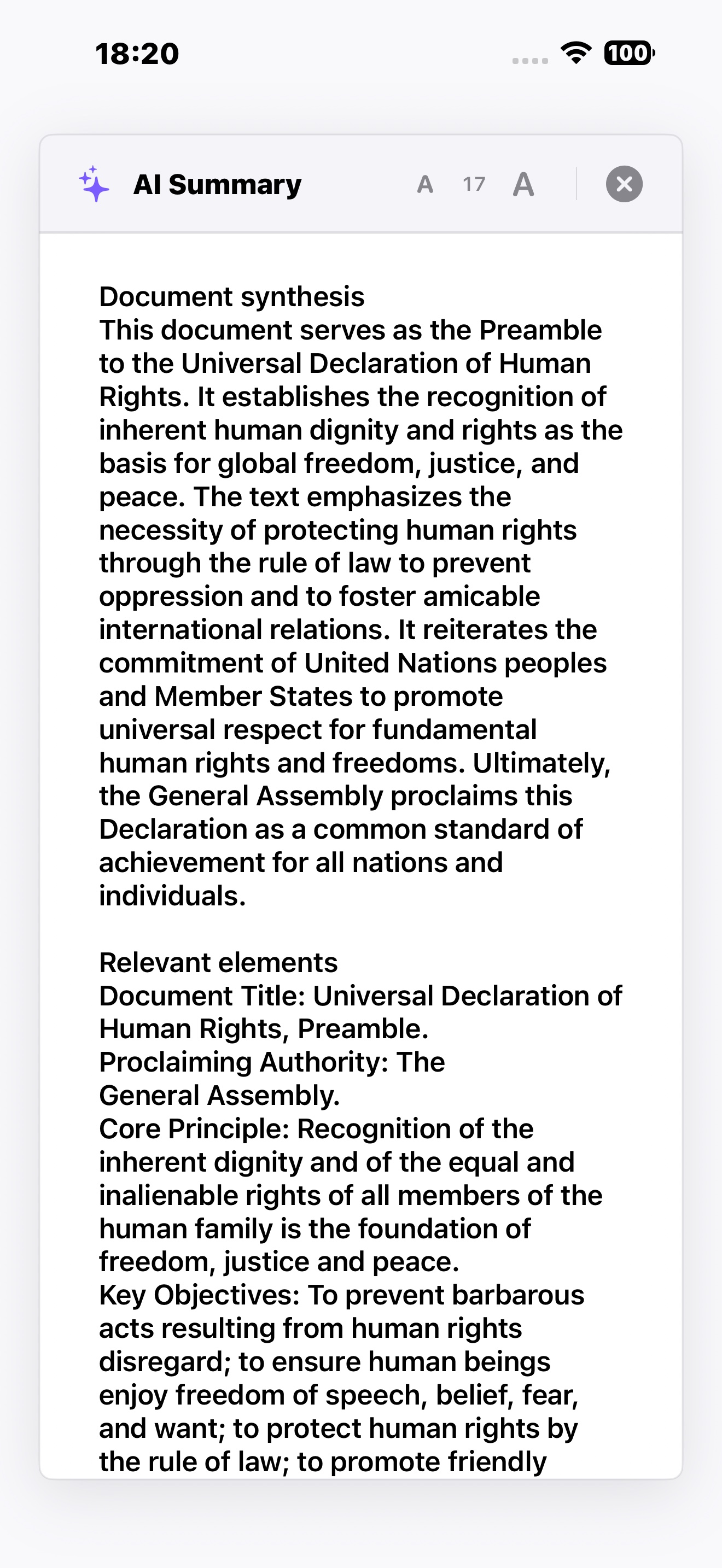
Structured office summary report on iPhone
New in 1.2

A summary built
for the office.

Every summary now arrives as a Professional Document Report — with Document Synthesis, Relevant Elements, a Verification Checklist, and Office Observations. No Markdown, no asterisks, just plain administrative text ready to drop into a notary, copy, or translation file.

  • Document Synthesis & Relevant Elements
  • Verification checklist for office workflows
  • Generation timestamp & provider badge
  • Export as PDF or TXT
Full-screen summary reader with adjustable font size on iPhone

Read at
your pace.

Open any summary in a clean, full-screen reader and dial the font size up or down to suit your eyes — perfect for catching up on a long document on the train or curling up with one in bed. The structure stays intact: synthesis first, key elements next.

  • Distraction-free, full-screen view
  • Adjustable font size from 12 to 32 pt
  • Preserves the report structure
  • Copy, share, or export with one tap
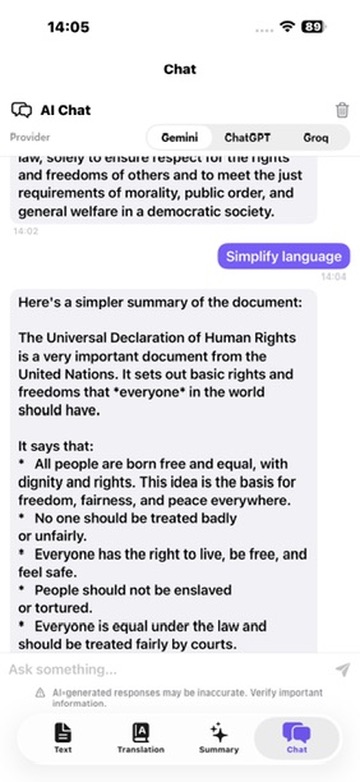
Chat with PDF on iPhone

Ask your PDF
anything.

Skip the skim. Ask a question, get a clear answer with context from the document. Tap a Quick Prompt — Extract Key Points, List Names & Dates, Simplify Language, Action Items, Brief Summary — or type your own.

  • 5 built-in Quick Prompts
  • Multi-turn chat with full document context
  • Pick your provider: Gemini · ChatGPT · Groq
  • Ask in any of 54 supported languages
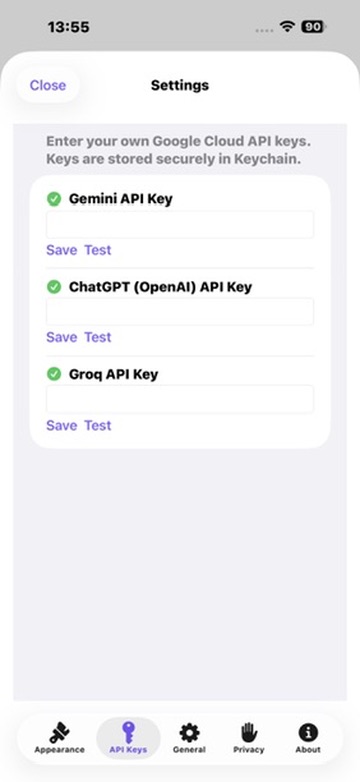
API Keys settings

Your keys.
Your data.

PDF AI Suite is Bring Your Own Key. Paste your Gemini, ChatGPT or Groq API key once — stored securely in the Apple Keychain — and pay providers directly at cost. No subscriptions, no markups, no middleman.

  • Keys stored in Apple Keychain, never on a server
  • Test & Save buttons to verify each key
  • Use one provider or all three side-by-side
  • Zero data ever sent to us
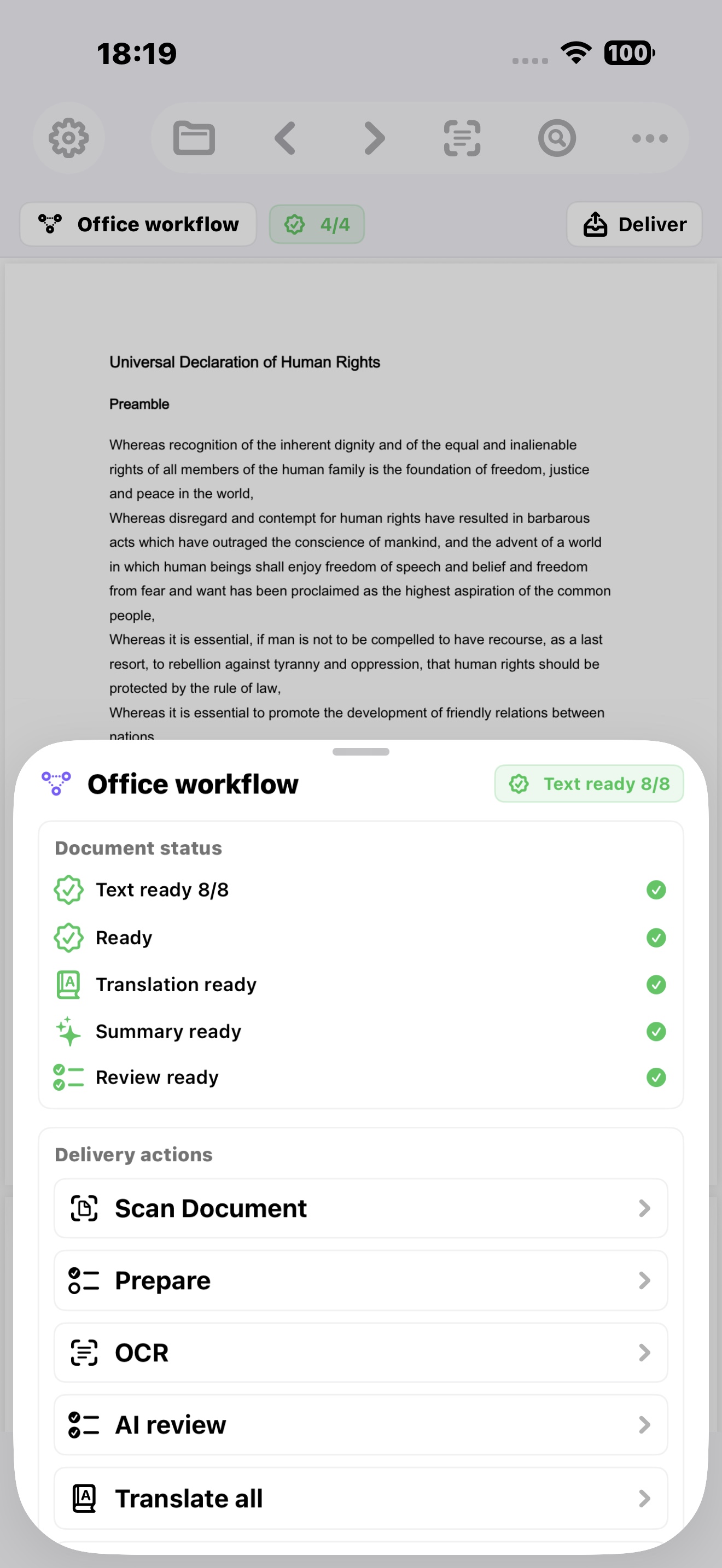
Office workflow with delivery actions on iPhone
New in 1.2

Office workflow,
in your pocket.

Track document status at a glance — Text ready, Translation ready, Summary ready, Review ready — and reach every delivery action with a tap: Scan Document, Prepare, OCR, AI Review, Translate all, and bundle everything into a client-ready package.

  • Live document status with progress checks
  • One-tap actions: Prepare, OCR, AI Review
  • Bundle into Client, Archive, or Translation packages
  • Page citations on every AI answer
AI Memory and Document History on iPhone
New in 1.2

The AI
that remembers.

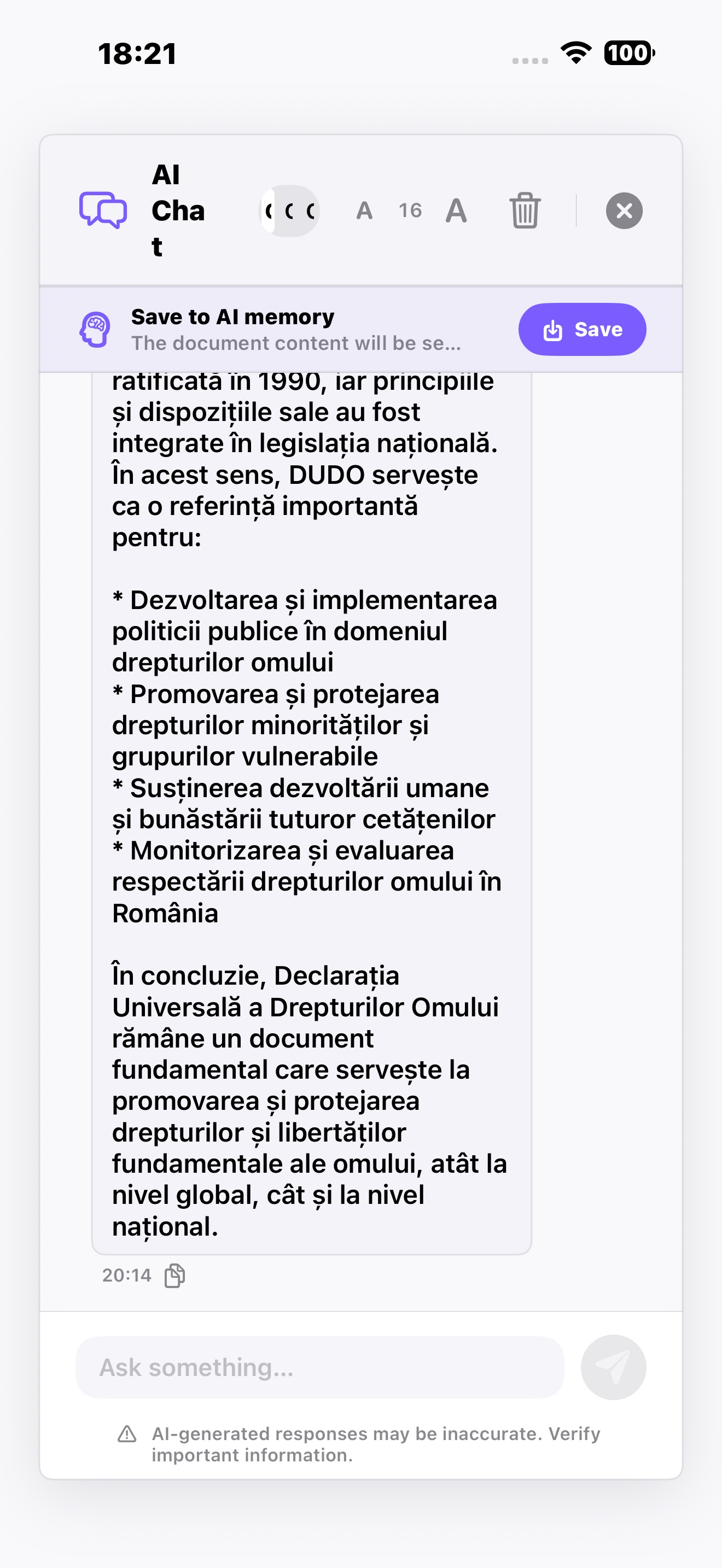
Save key takeaways from any chat as persistent AI Memory — the next time you open the PDF, the AI picks up exactly where you left off. Every chat, summary, and translation is saved per document and reopenable with a single tap.

  • AI Memory: notes the AI auto-recalls per PDF
  • Per-document history: chats, summaries, translations
  • Auto-restore last summary & translation on open
  • Structured office reports with page citations
Got questions? Ask our AI Assistant!
AI Chat

PDF AI Suite Assistant

Hi! I'm the PDF AI Suite assistant. How can I help you today?